Pressure drives the brush width; tilt and azimuth shape the Ink brush's nib when Follow pencil angle is on in its Advanced view, and lay a pencil down to shade with it. Hovering a Pencil Pro (or a 2nd-generation Pencil on M2 iPads) shows a cursor with the exact footprint the ink will get.
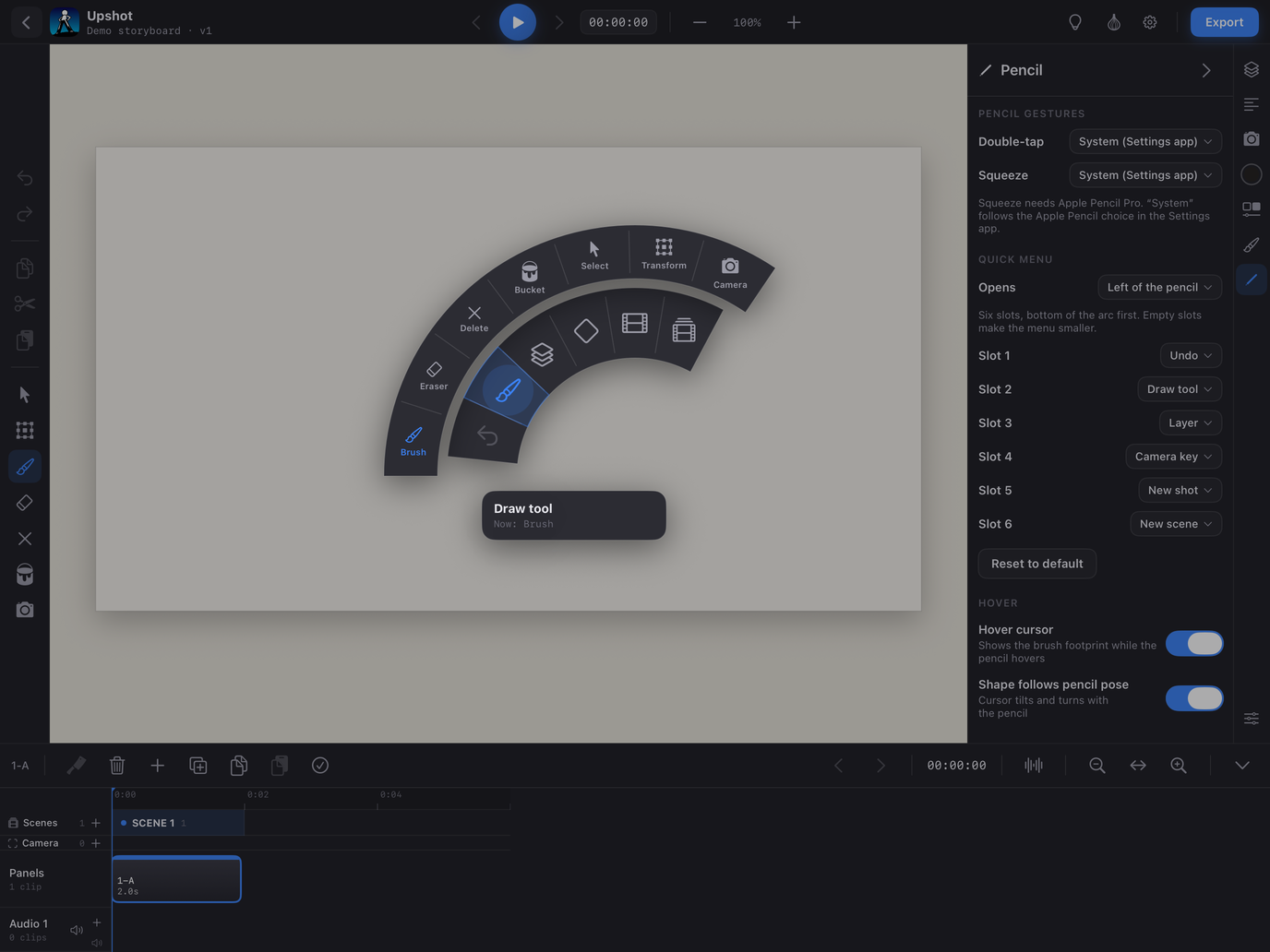
Double-tap and squeeze follow the Settings app by default (a squeeze opens the quick menu). Both are assignable in the Apple Pencil tab: quick menu, eraser, previous tool, undo, redo, onion skin, light table, or off.
The quick menu is customizable: six slots you fill from Undo, Draw tool, Layer, Camera key, New panel, New scene, Redo, Onion skin, Light table, Play / Pause, Next / Previous panel and Fit to frame, and a side (left or right) it opens on. Each slot has a ring of options — Draw tool lists every tool, Layer offers New / Duplicate / Visible, Camera key offers Hold / Push 140% / Preview / Stop, New panel offers Duplicate, New scene offers Rename…
Together with the keyboard shortcuts (when a keyboard is connected) this is how you work with everything collapsed: fold the sidebar and the timeline, and the entire screen is canvas.